Image Aspect Ratios Explained — Which to Use and Why
Published April 18, 2026 · 7 min read · Try the Crop Tool
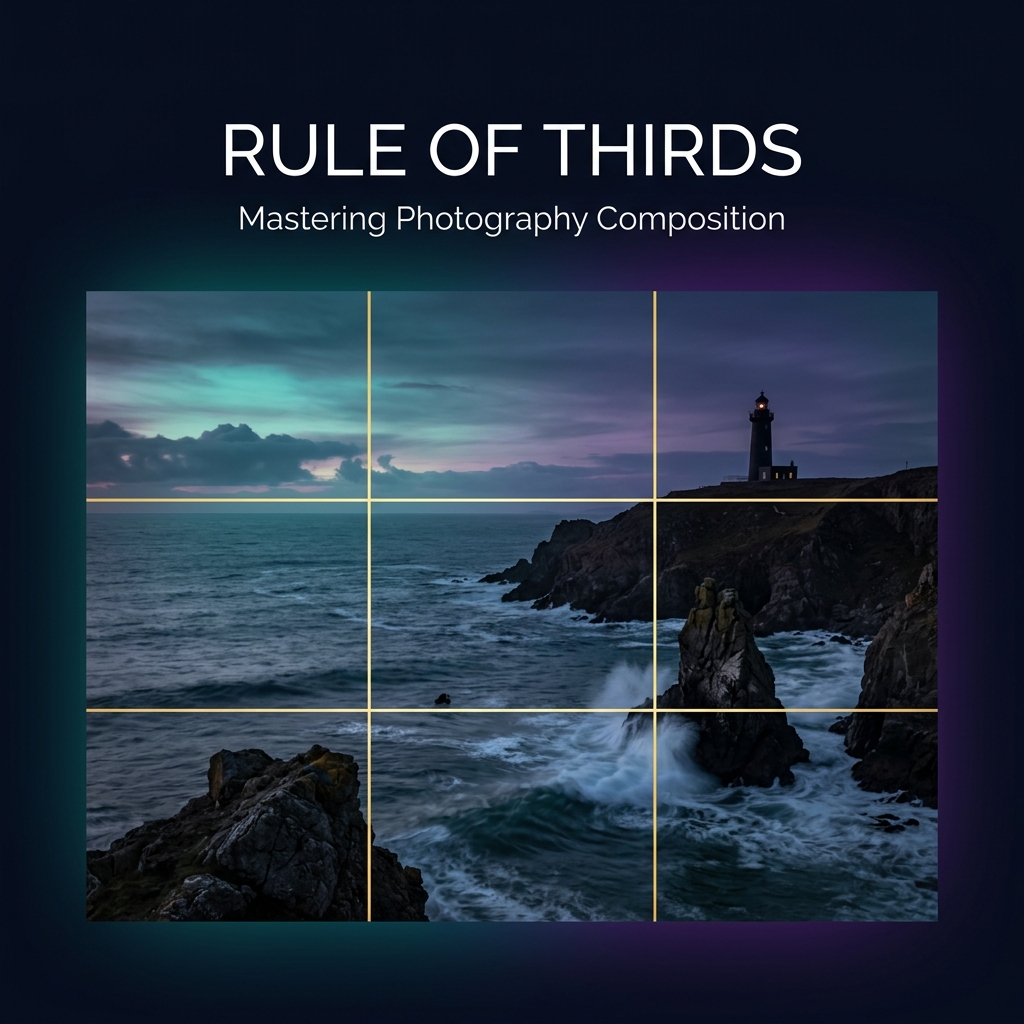
The aspect ratio of an image is the proportional relationship between its width and height. It's expressed as two numbers separated by a colon — for example 16:9 means the image is 16 units wide for every 9 units tall.
Choosing the right aspect ratio determines how your image looks on different screens, platforms, and print formats — and when combined with the rule of thirds, it dramatically improves photographic composition.
The Most Common Aspect Ratios
Square (1:1)
The perfect square. Width equals height. Used for Instagram grid posts, profile photos, app icons, and product photography thumbnails. Psychologically conveys balance and completeness.
Widescreen (16:9)
The standard for HD and 4K video, YouTube thumbnails, desktop banners, presentations, and TV screens. Creates a cinematic, expansive feel. Excellent for landscapes and group shots.
Portrait/Vertical (9:16)
The full-screen vertical format of mobile phones. Now the default format for Instagram Stories, Reels, TikTok, YouTube Shorts, and Snapchat. Best for person-focused content.
Classic (4:3)
The original TV and early photography format. Used for iPad screens, point-and-shoot cameras, print layouts, and video calls. Slightly wider than tall — familiar and comfortable to view.
DSLR Standard (3:2)
The sensor ratio of most Canon, Nikon, and Sony interchangeable lens cameras. Ideal for professional photography, editorial prints, and fine art. Slightly wider than 4:3, giving a more natural perspective.
The Rule of Thirds — Composing Better Crops
The rule of thirds divides your image into a 3×3 grid using two horizontal and two vertical lines. The four intersection points are called power points — and placing your subject at or near these points creates more visually interesting, dynamic compositions.
When you crop an image using the Imageflowlab crop tool, the rule-of-thirds grid is always visible inside the crop area. Use it as a guide:
- Portraits: Align the eyes along the top horizontal line
- Landscapes: Place the horizon on either horizontal line (not the center)
- Action shots: Leave more space in front of the subject's direction of movement
- Architecture: Vertical lines of buildings align with the vertical grid lines
Practice the Rule of Thirds
The grid is always visible in our free crop tool — use it to compose better photos instantly.
✂️ Open Crop Tool →Quick Aspect Ratio Reference Table
| Ratio | Best For | Feel |
|---|---|---|
| 1:1 | Instagram, profile pics, icons | Balanced, symmetric |
| 16:9 | YouTube, banners, presentations | Cinematic, expansive |
| 9:16 | TikTok, Reels, Stories | Immersive, mobile-first |
| 4:3 | Tablets, classic cameras, prints | Traditional, familiar |
| 3:2 | Photography, editorial, fine art | Professional, natural |
| 2:3 | Portrait photography, Pinterest | Tall, striking |