Best Image Formats for the Web in 2025
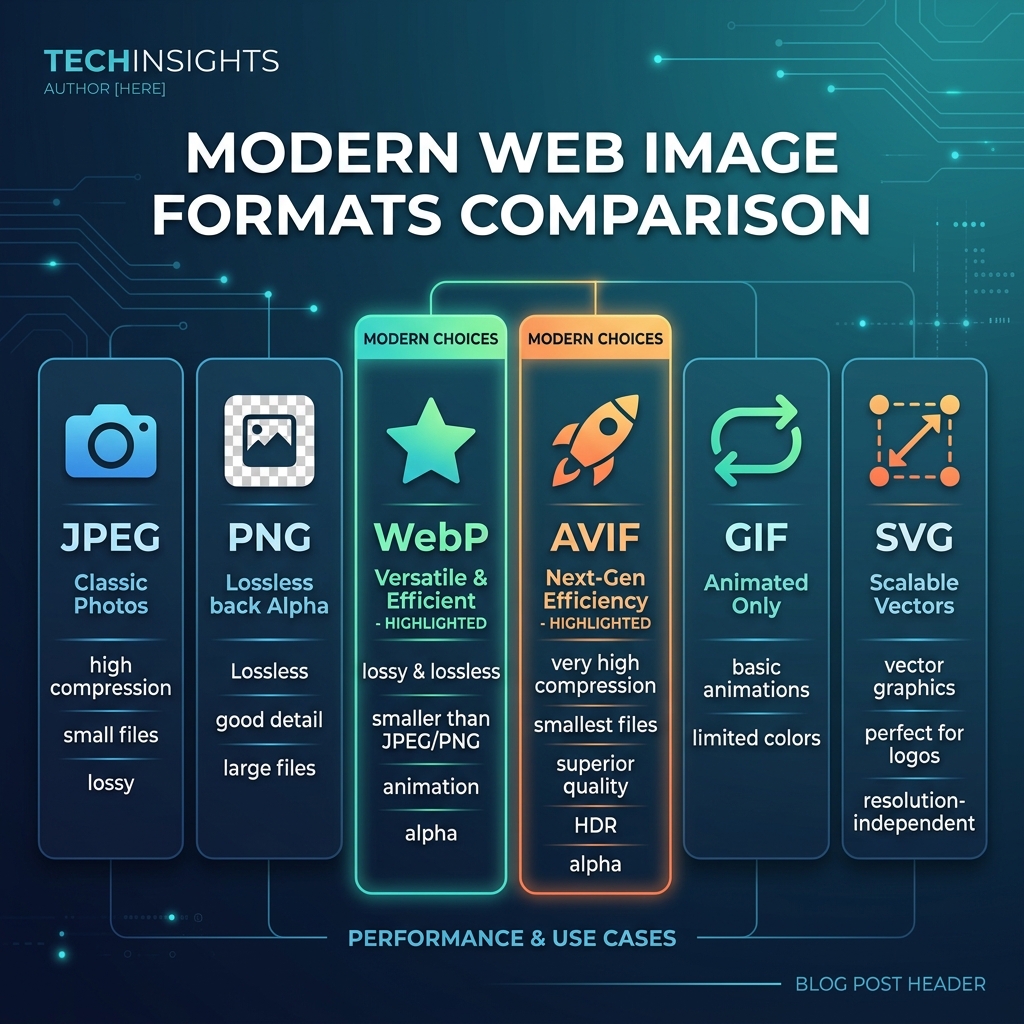
Picking the wrong image format can double your page weight or cause visual quality issues. Here's a definitive breakdown of every major web image format and exactly when to use each one in 2025.
JPEG — The Reliable Workhorse
JPEG remains the most widely supported photo format on the planet. It uses lossy compression that discards color data the human eye barely perceives, achieving dramatic size reduction. Best for: photographs, product images, lifestyle shots, and any complex, color-rich image. At 75–85% quality, JPEG is virtually indistinguishable from the uncompressed original. Not suitable for images requiring transparency or sharp edges on text/logos.
PNG — Lossless Clarity
PNG uses lossless DEFLATE compression, preserving every pixel exactly. Best for: logos, icons, screenshots, graphics with text, diagrams, and any image requiring transparency. The tradeoff is larger file sizes vs JPEG for photographs — often 3–5x larger. Never use PNG for photographs if file size matters.
Free online converter supporting JPEG, PNG, WebP, AVIF, GIF, SVG, PDF, and ICO.
Open Free Converter →WebP — The Modern Default
Google's WebP format is now the recommended default for web images in 2025. It supports both lossy and lossless compression, full alpha transparency, and delivers 25–35% smaller files than JPEG/PNG for equivalent quality. Browser support is now at 97%+ globally. Best for: everything you'd currently use JPEG or PNG for on websites. If you run a website and aren't using WebP, switching is the highest-ROI optimization you can make today.
AVIF — The Future Is Now
AVIF (AV1 Image Format) is the newest kid on the block, offering 50% smaller files than JPEG at the same quality — even better than WebP. Browser support reached 90%+ in 2024 with Chrome, Firefox, and Safari all supporting it. Best for: photography-heavy websites that want maximum compression. Use with a JPEG/WebP fallback for older browser support. Our converter supports AVIF output in compatible browsers.
GIF, SVG — Specialized Use Cases
GIF: Use only for simple animated graphics. GIF is limited to 256 colors, making it terrible for photos but acceptable for logos and simple animations. For complex animations, consider WebM video instead. SVG: Always use SVG for icons, logos, and vector illustrations. SVG is infinitely scalable, typically tiny in file size, and can be animated with CSS. It's the only format that's mathematically lossless and resolution-independent.